
Step 1: Find Products on AK Dropshipping
Navigate to the AK Products section to find the items you want to sell. You can search by:
Upload images to find similar products
Enter keywords
Product categories
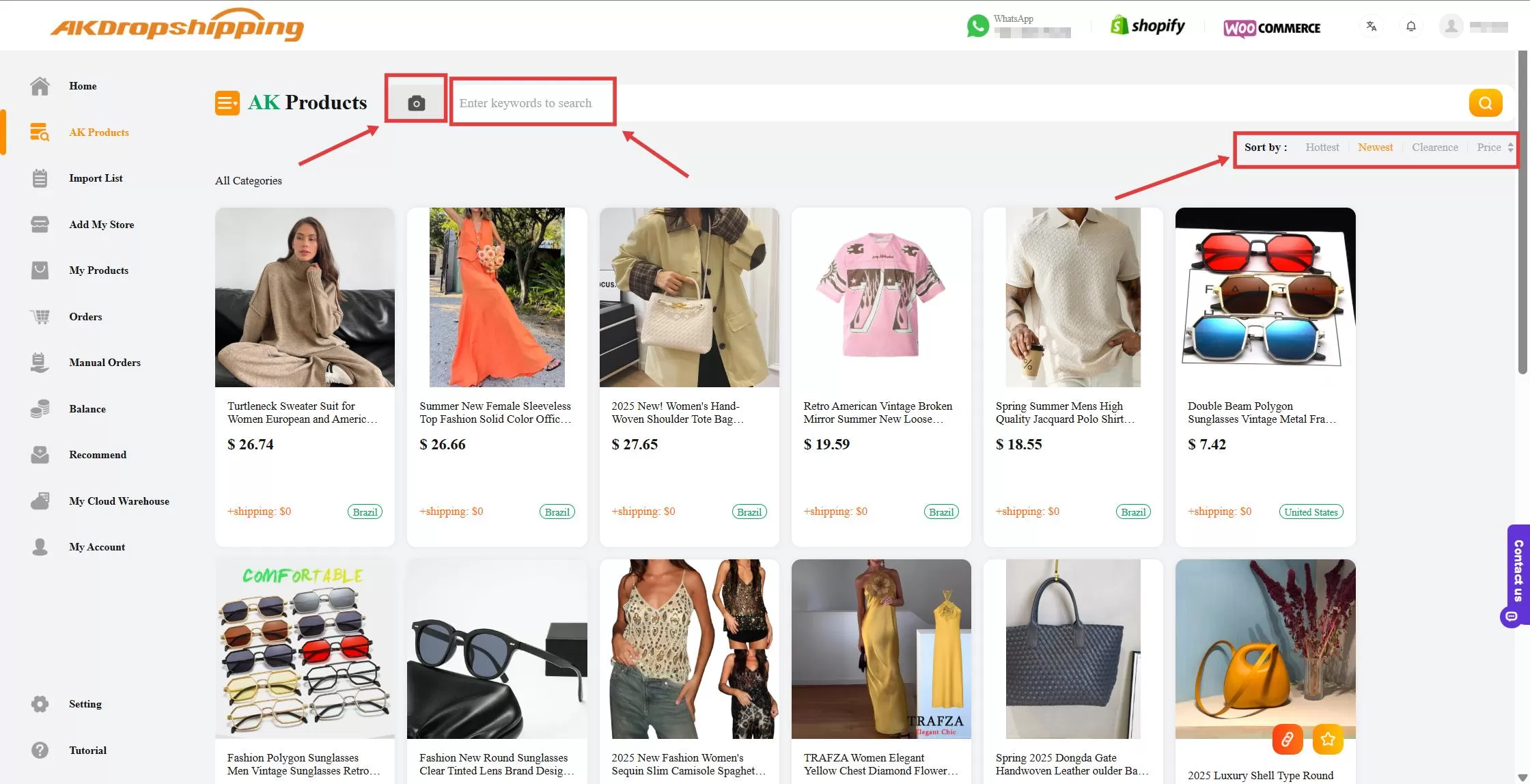
AK Products
Step 2: Review Product Details
Click on a product to open its details page. Carefully review the product information and if everything looks good, click the Add to Import List button.
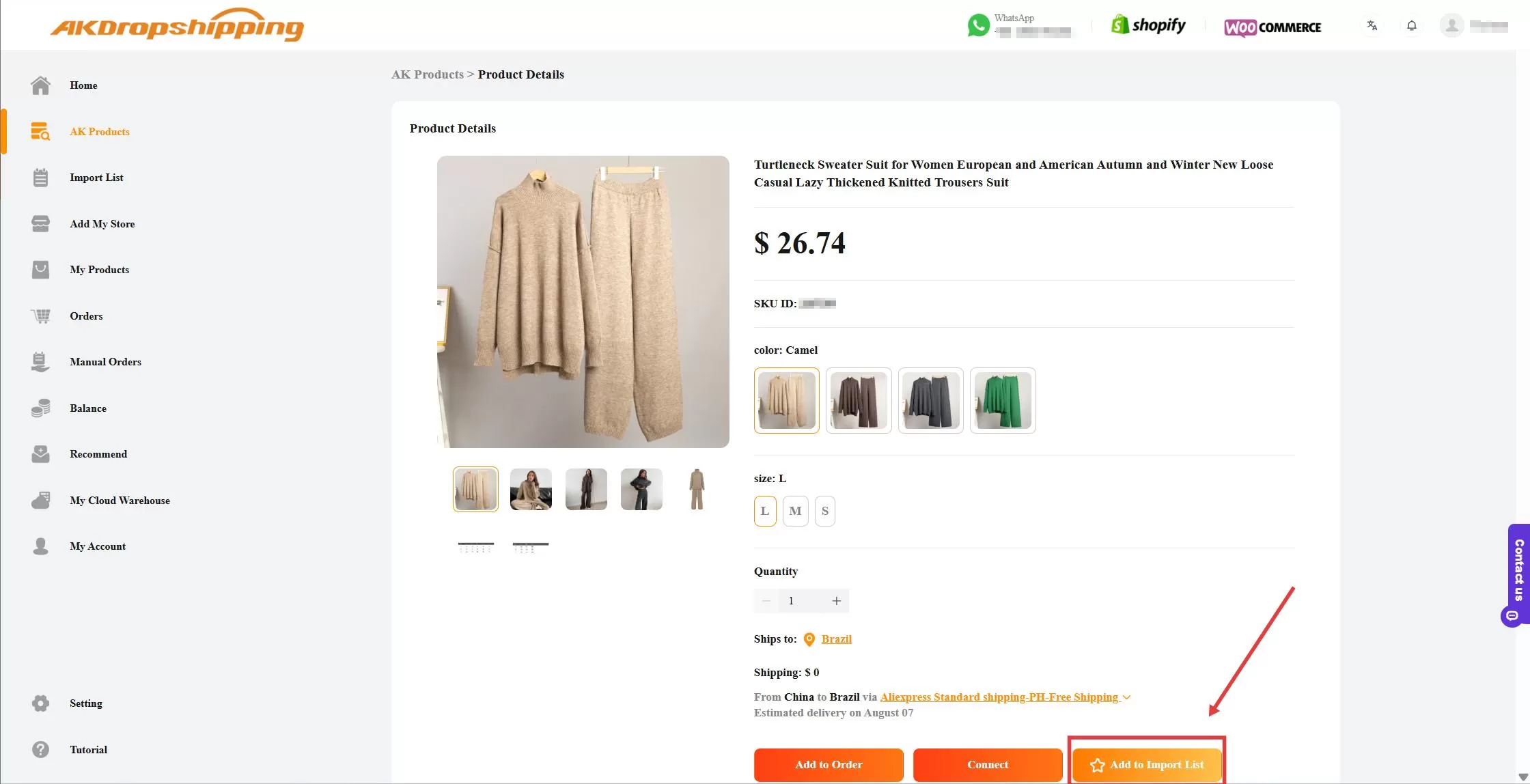
Product Interface
Step 3: Go to Your Import List
Once the product is added, go to the Import List section and find the product. Click the Add to Store icon.
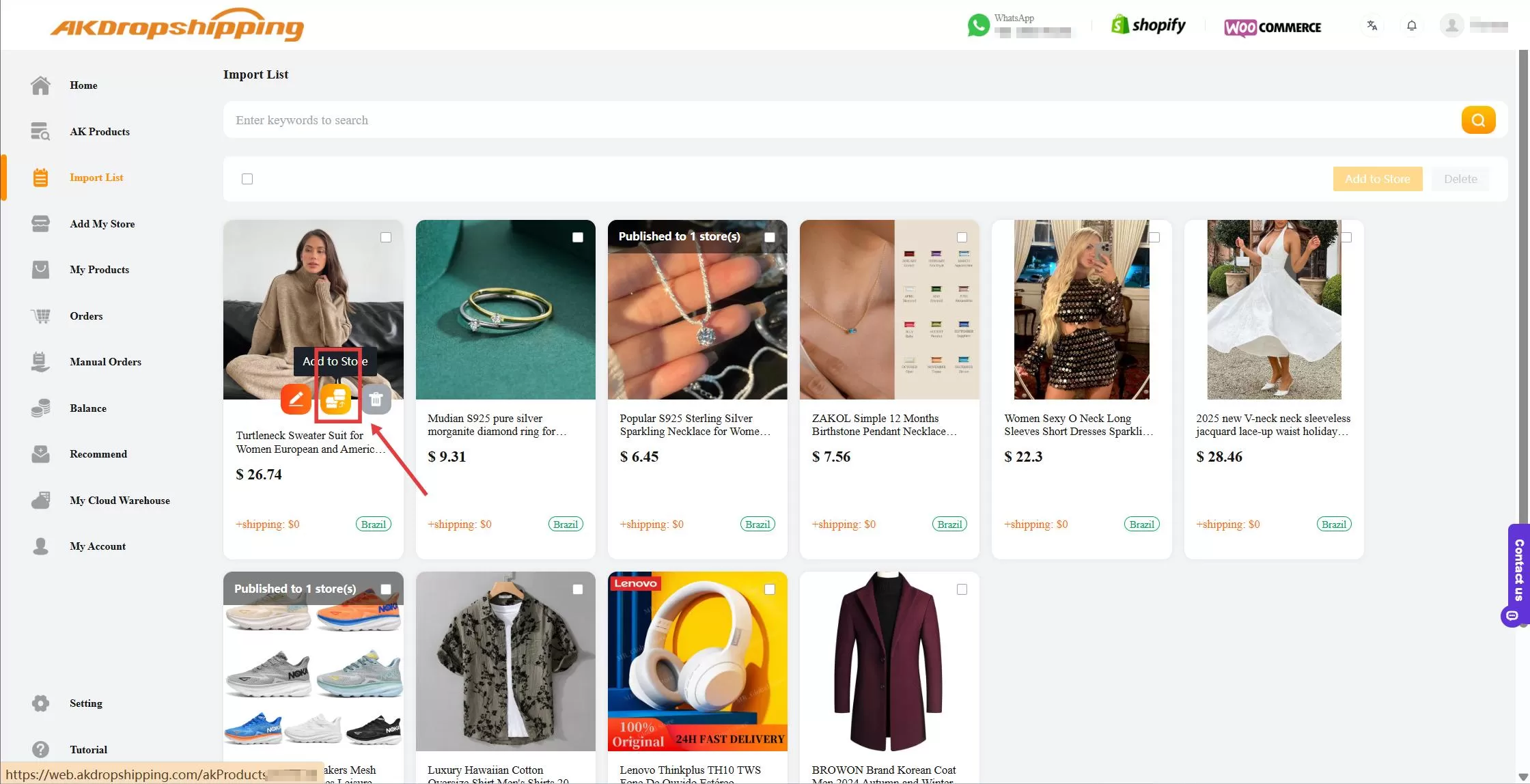
Import List
Step 4: Finalize Import Settings
After clicking Add to Store, you'll be prompted to:
Select the store you want to import to (if you have multiple connected)
Set your pricing rules
Set the target country and preferred shipping method
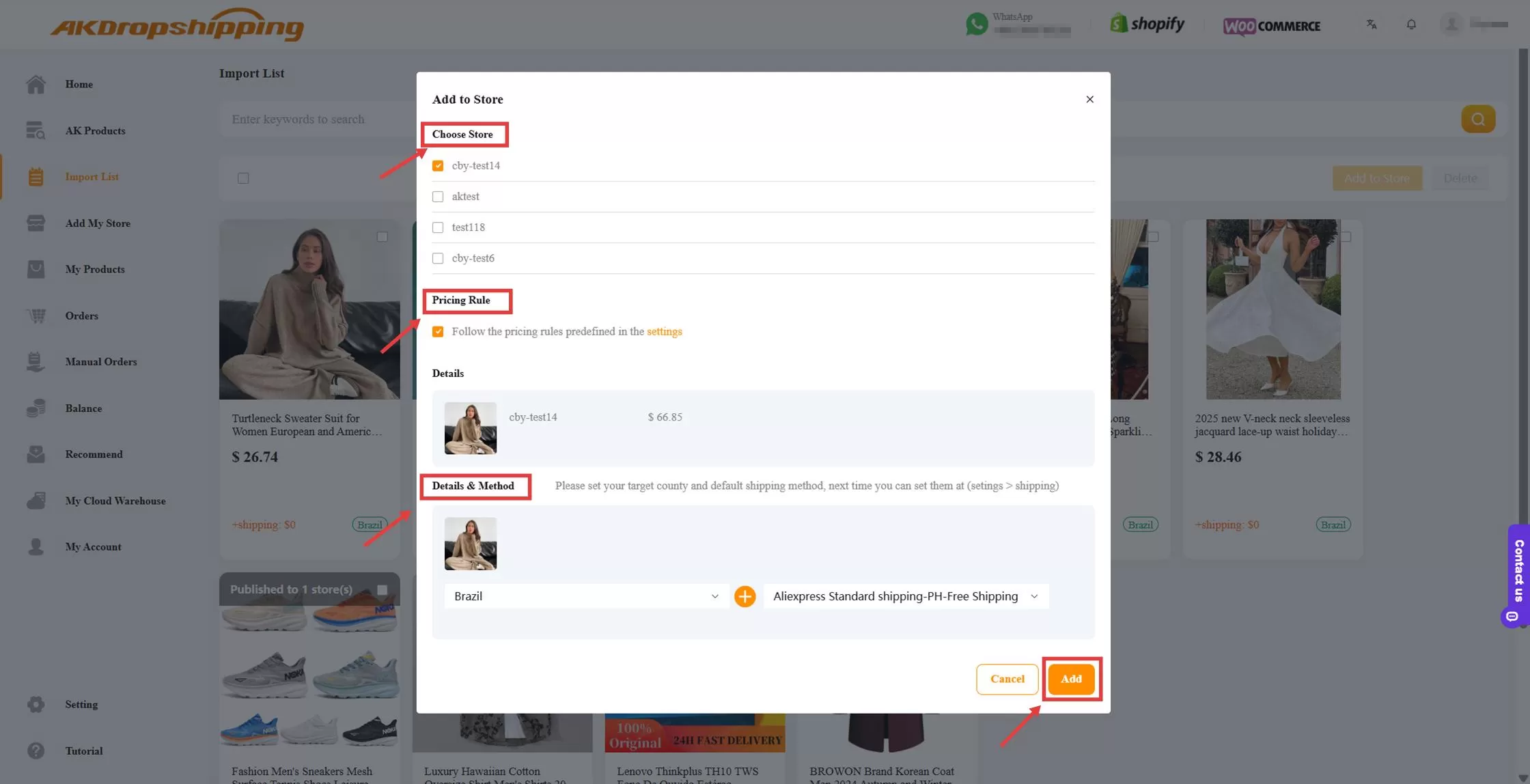
Import List - Add to Store Panel
Once all settings are configured, click the Add button. The product will be imported into your store within seconds.
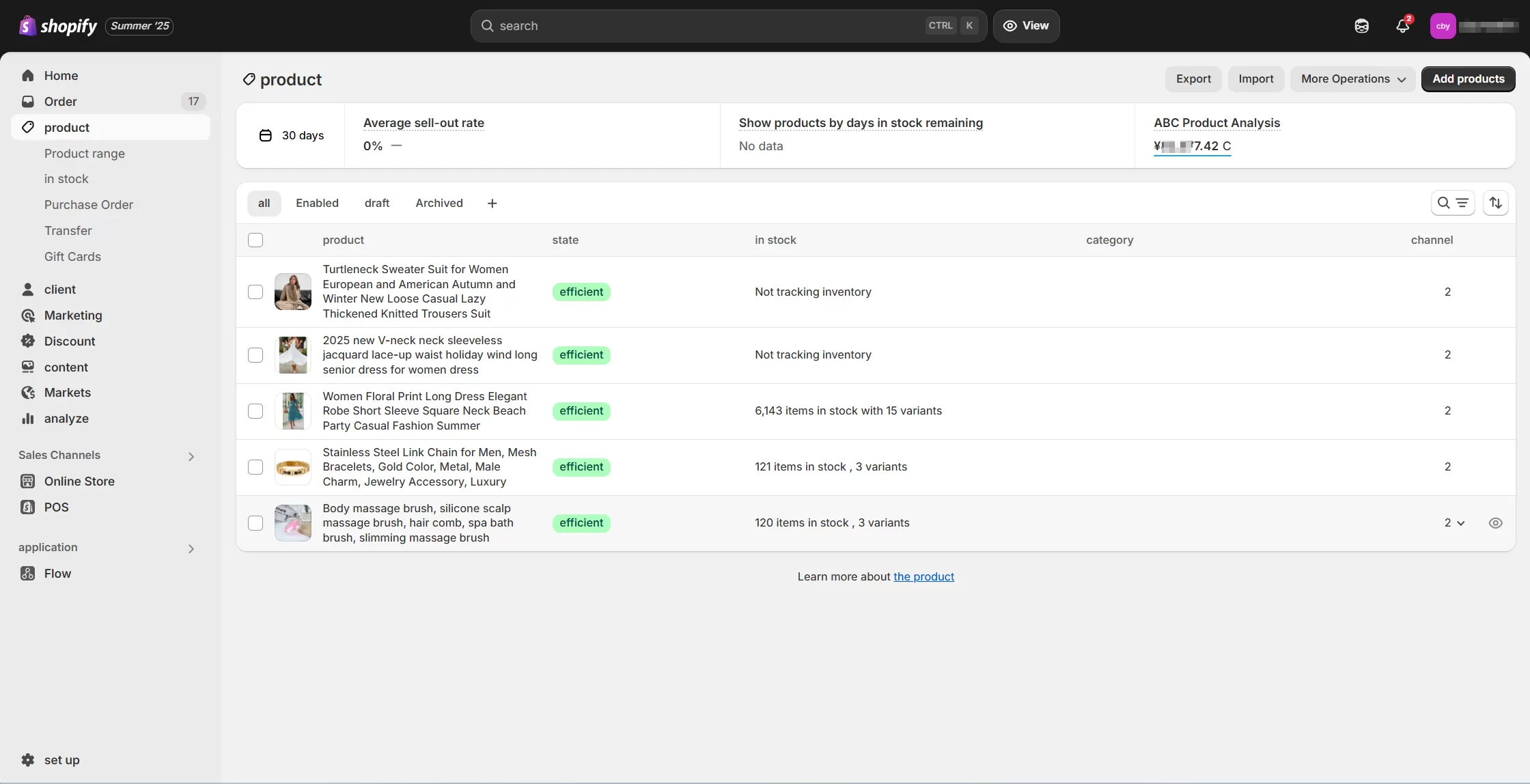
Shopify Store - Products

