
Step 1: Contact Your Personal Salesman
Click the WhatsApp number located on the dashboard to get in touch with your personal salesman.
Tips: You’ll find WhatsApp under the ''Your Salesman'' section on your AK Dashboard.
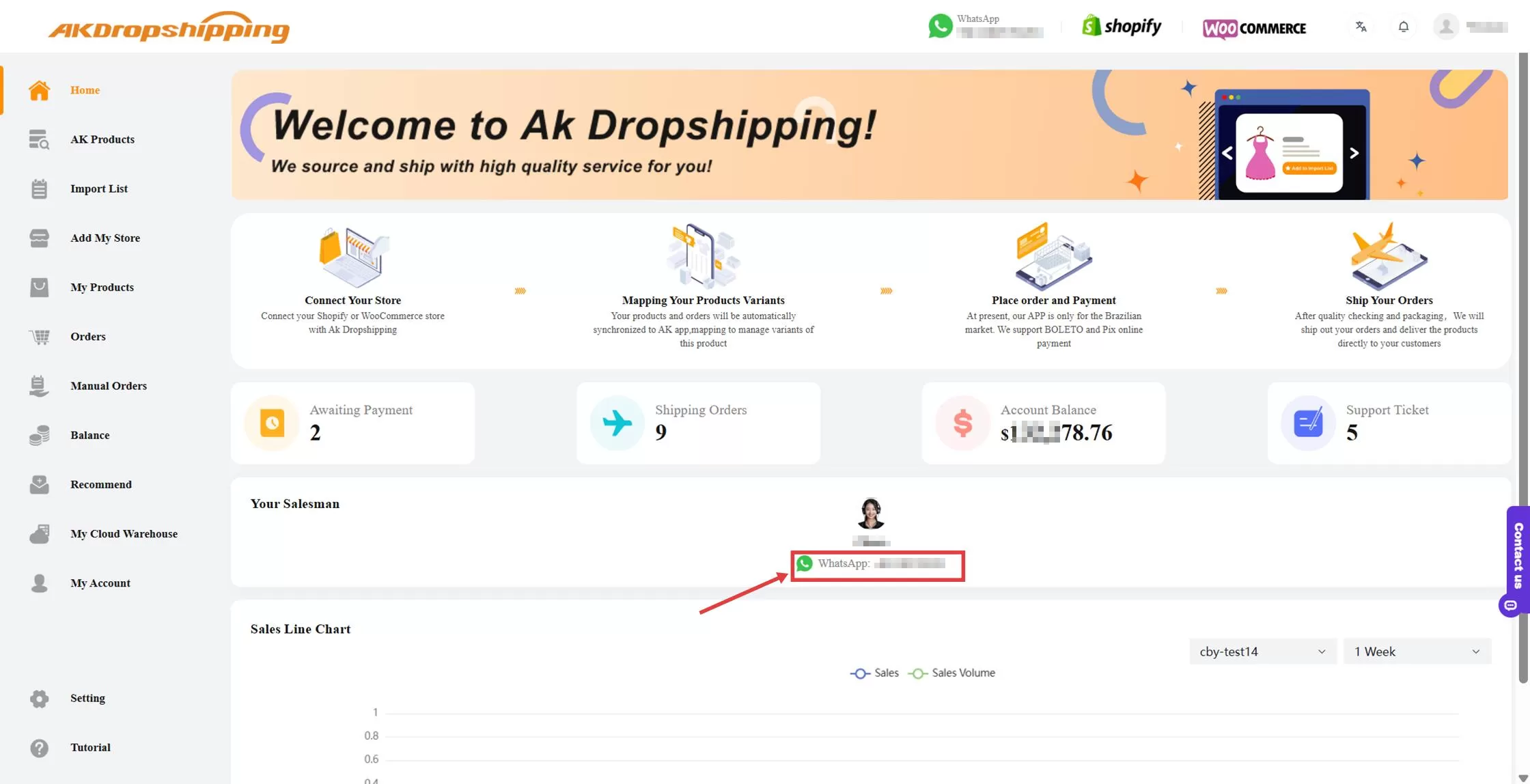
AK Dashboard - Personal Salesman
Step 2: Request Sourcing
You can request sourcing by sending the product’s image or link.
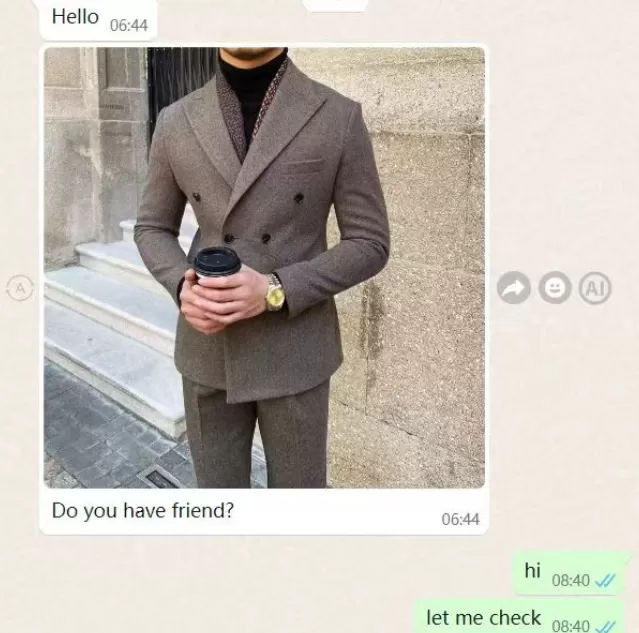
Request Sourcing
Step 3 : Receive the Quotation
Your salesman will find the best sourcing option and provide you with a detailed quotation to review.
Step 4: Generate Product Link
If you’re satisfied with the quotation, ask your salesman to create a product link. You can then use this link to import the product directly into your online store.

