
We provide worldwide services with various shipping methods, so you can choose whatever your need.
Timeline: 1:37-3:10
Step 1: Go to the Settings - Shipping Page
Log in to your AK account and navigate to Settings - Shipping.
Here, you can configure one or more default shipping methods for different countries.
Click the Add icon to set a shipping method for a specific region
After making your selections, click Save to apply your settings
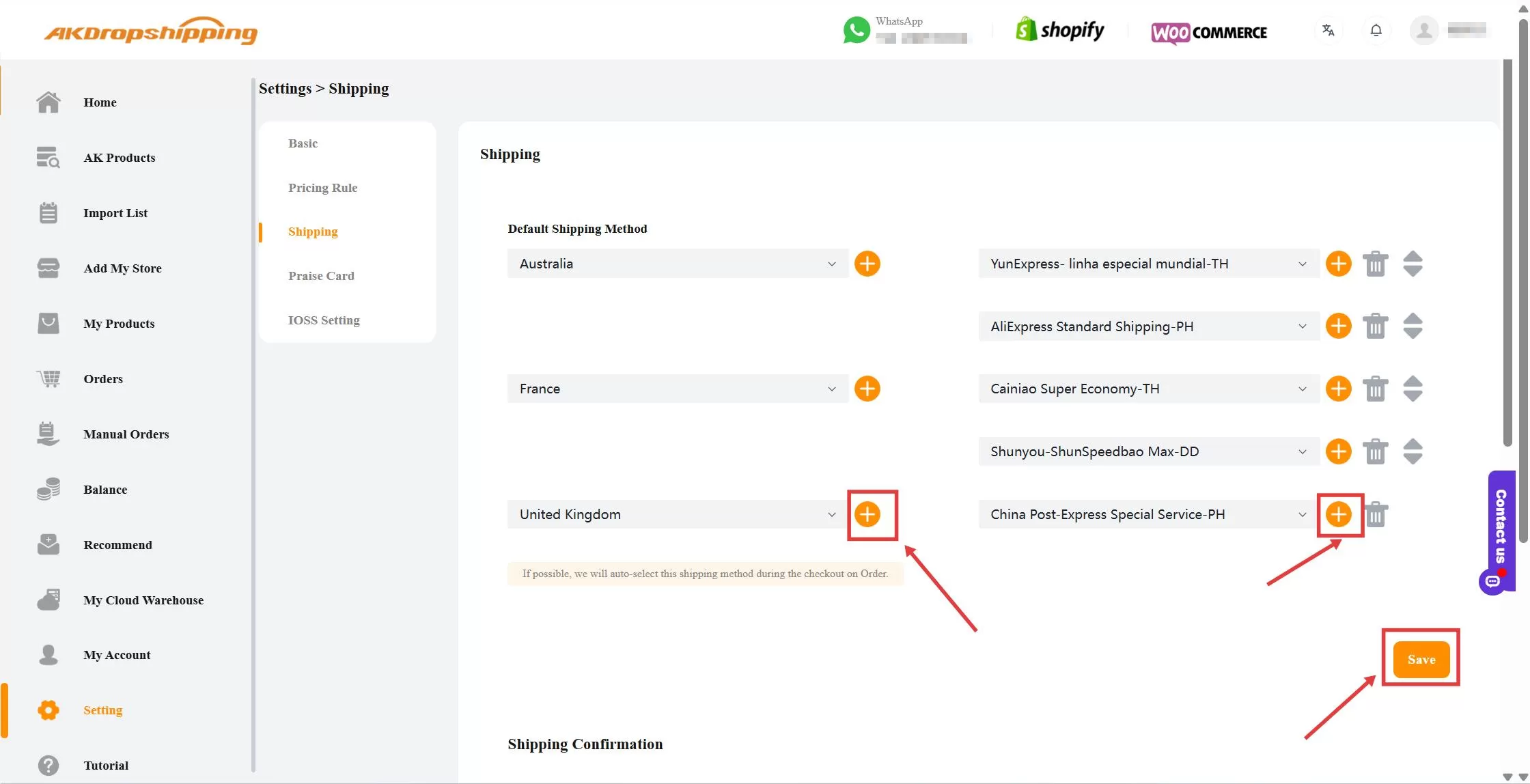
Setting - Shipping
Note: Once your default shipping methods are set, the system will automatically apply them when you map products—saving you time during product setup.
Step 2: Set up Shipping Confirmation
Scroll down to the Shipping Confirmation section.
Enable the fulfillment notification to automatically send tracking emails to your customers
In the Customize Tracking Links field, enter your preferred URL below (e.g. https://t.17track.net/en#nums=)
Click the Save button when you’ve done
This ensures a smoother experience for your customers by providing real-time tracking updates via a familiar local logistics website.
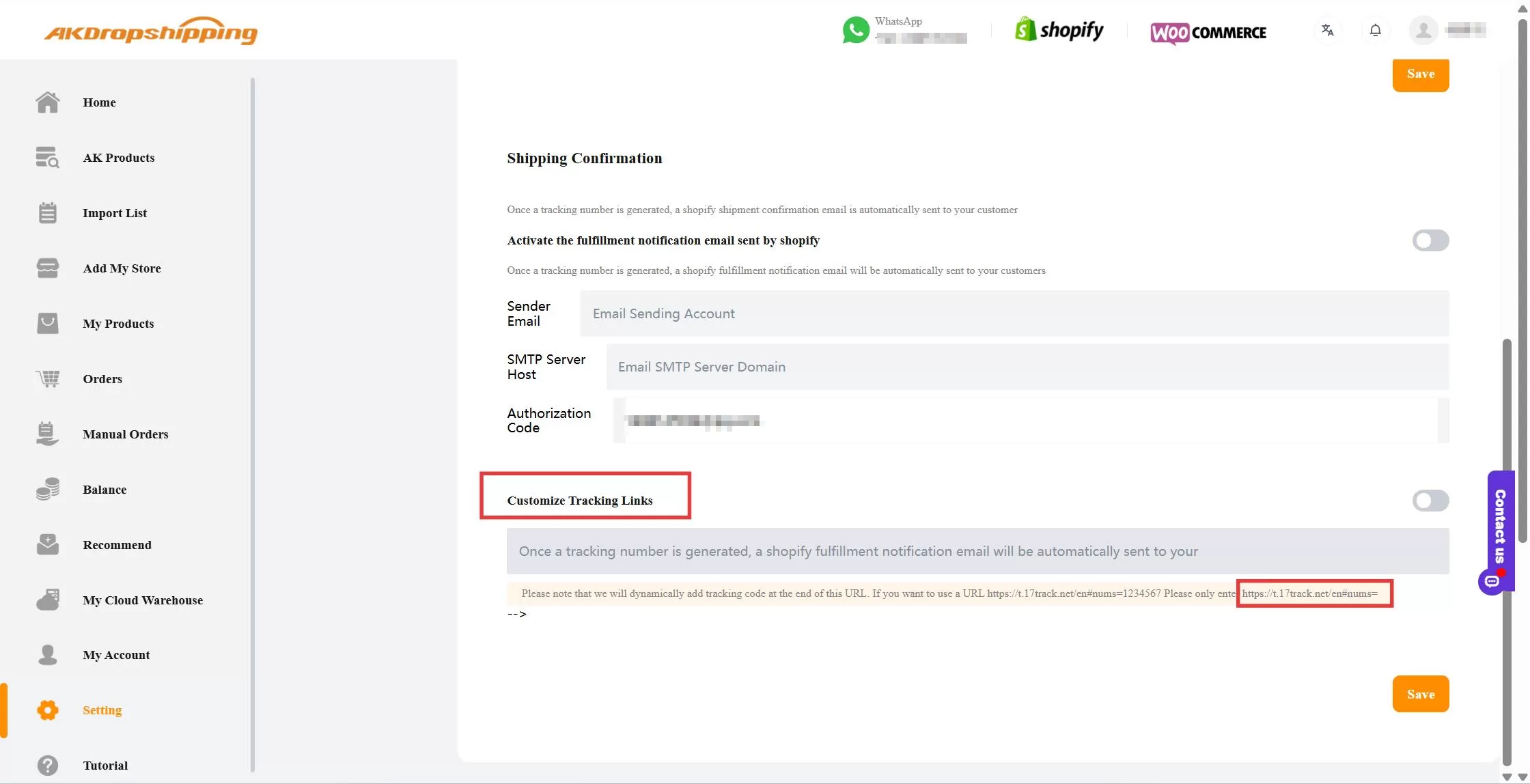
Shipping Confirmation

