
Setting up pricing rules in advance helps automate your product pricing when importing items into your store, saving you time and manual effort.
Timeline: 1:16-1:37
Step 1: Go to Setting Page
Log in to your AK account and navigate to Setting - Pricing Rule.
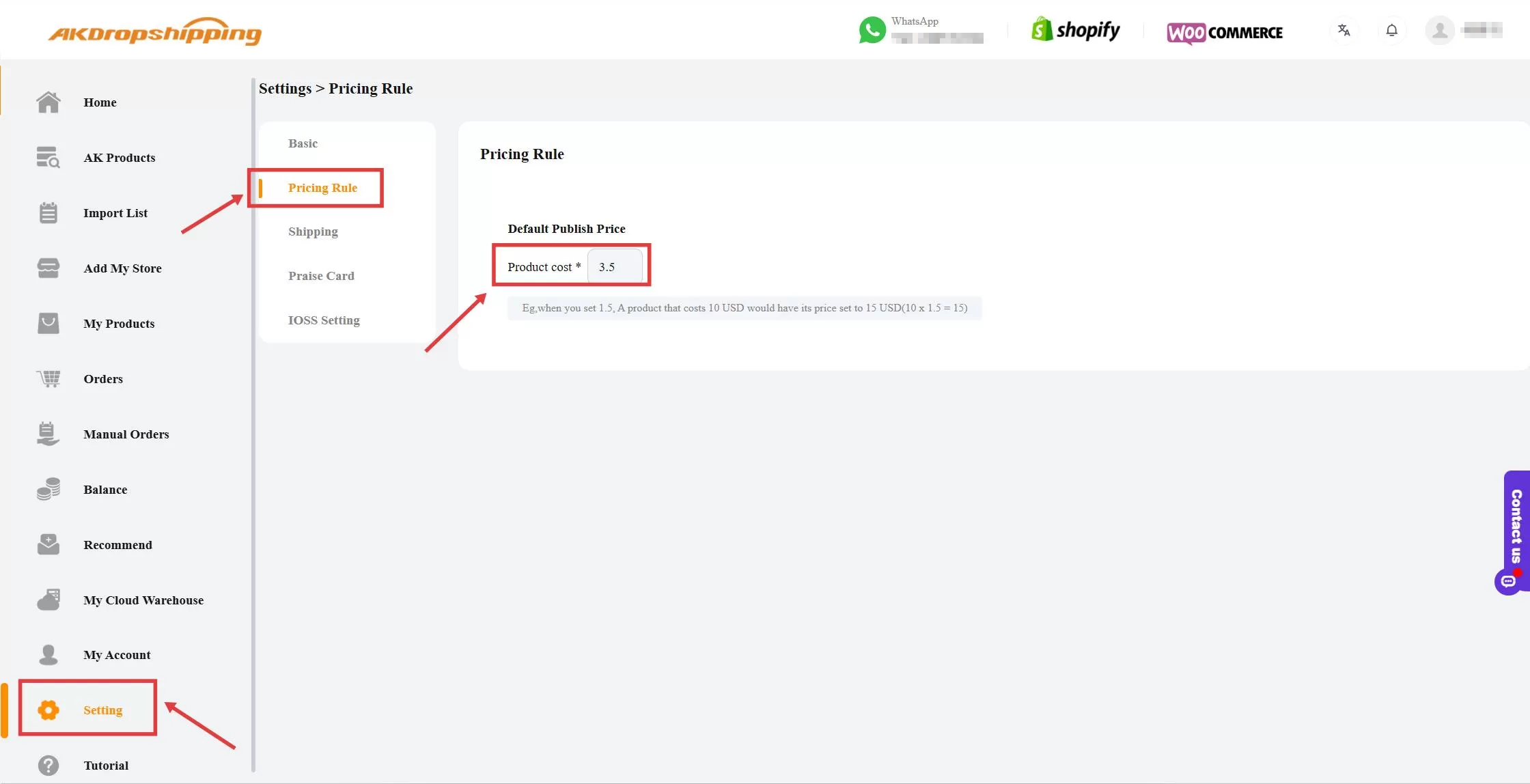
Setting - Pricing Rule
Step 2: Set Your Default Pricing Rule
Enter your preferred multiplier to automatically calculate the selling price for imported products.
E.g. If a product costs $10 and you set a multiplier of 1.5, it will sell for $15 ($10*1.5=$15) in your store.
Step 3: Apply the Rule When Importing Products
When you click Add to Store button from Import List, you can apply your default pricing rule.
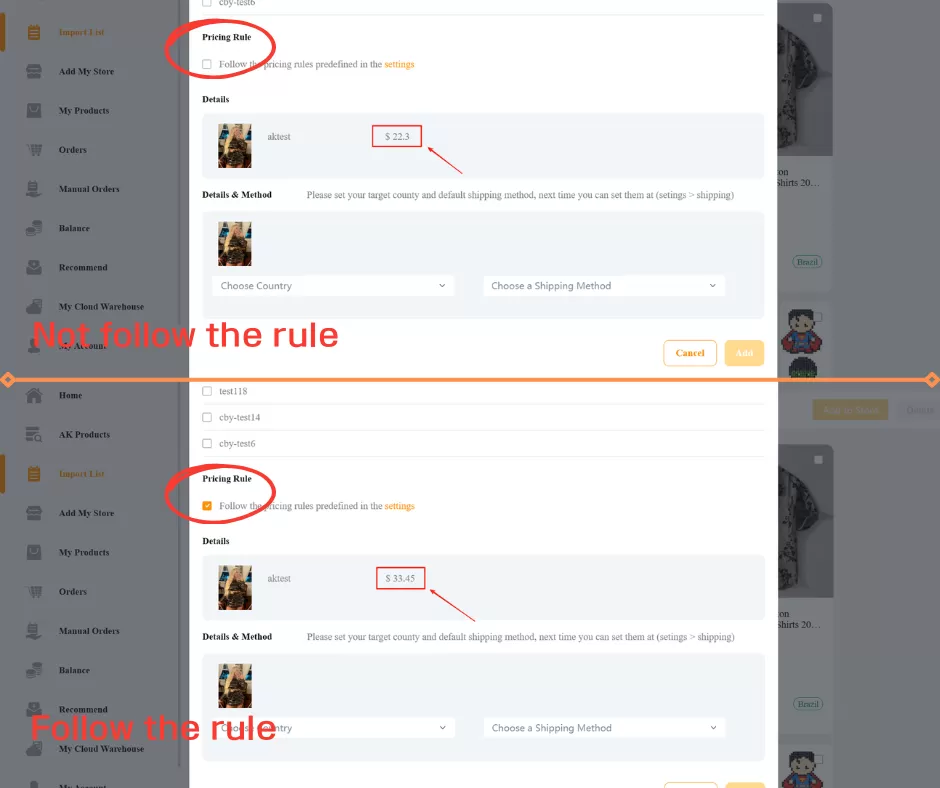
Import List - Add to Store

