
Filling in your basic information in advance helps speed up future processes such as payments and wallet recharges.
Timeline: 0:44-1:16
Step 1: Go to Setting Page
Log in to your AK account and click Setting in the lower-left corner of your dashboard.
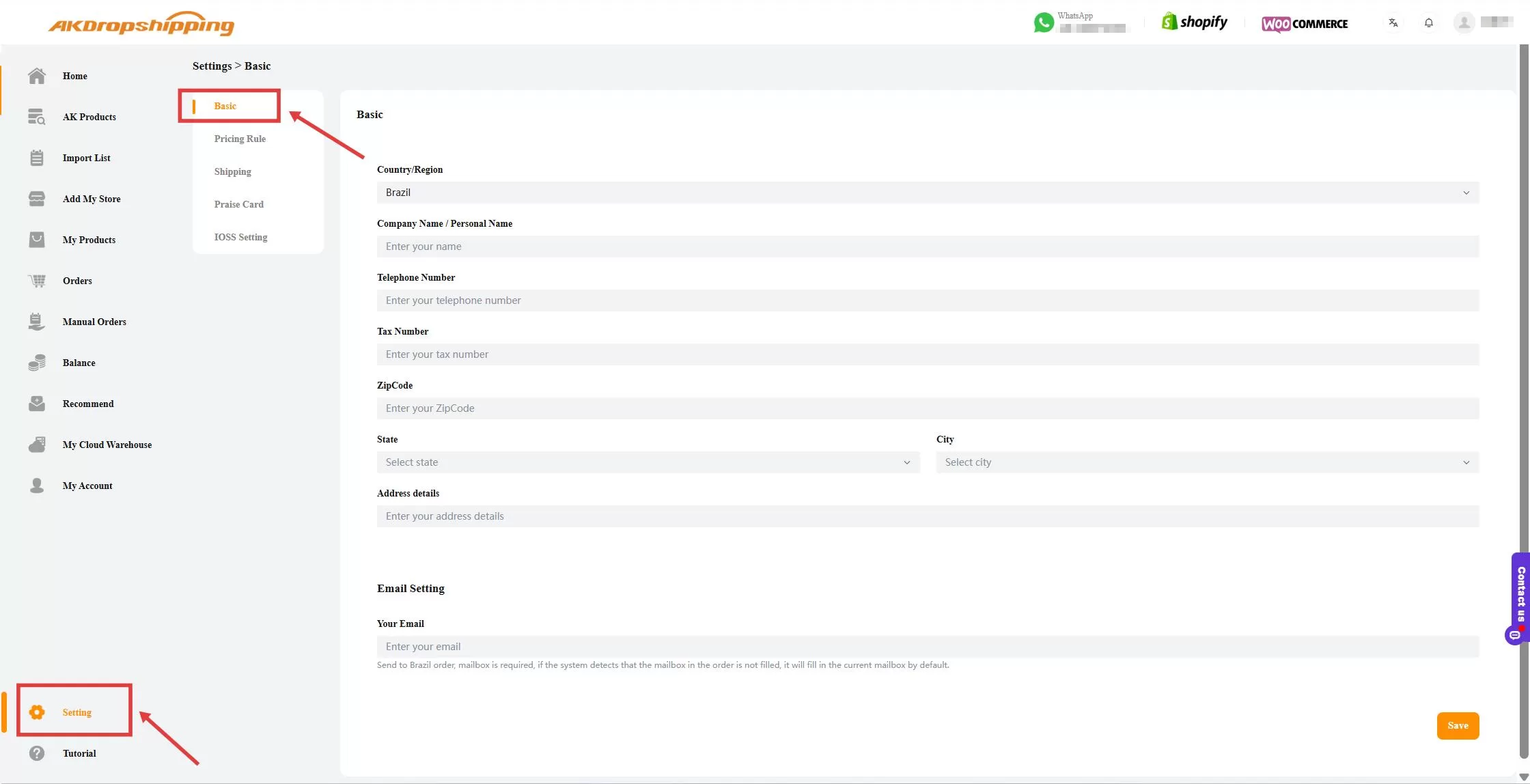
Setting - Basic
Step 2: Fill in All the Information
Fill in the required information:
Country/Region
Company Name/Personal Name
Telephone Number
Tax Number (CPF/CNPJ)
Zip Code
State & City
Address Details
Tips: Make sure the information is accurate to avoid delays in order processing or payment verification.
Step 3: Save Your Information
Once all fields are filled in and double-checked, click the Save button located in the bottom-right corner.
Your information will be stored for future use, helping you streamline future transactions.

