
The Cloud Warehouse service from AK Dropshipping helps you streamline order fulfillment by pre-stocking inventory in our warehouse. This leads to faster shipping, better control over fast-moving or promotional items, and improved customer satisfaction.
By using the Cloud Warehouse, you can:
Speed up order processing and delivery
Improve customer satisfaction and increase repeat purchases
Reduce costs and boost profit through bulk purchasing
Avoid stockouts during peak seasons
Enable easier product customization and branding
Step1: Add Products to Cloud Warehouse
Go to My Products - Connected, and click the Cloud Warehouse icon (the blue icon on the right side of the product listing).
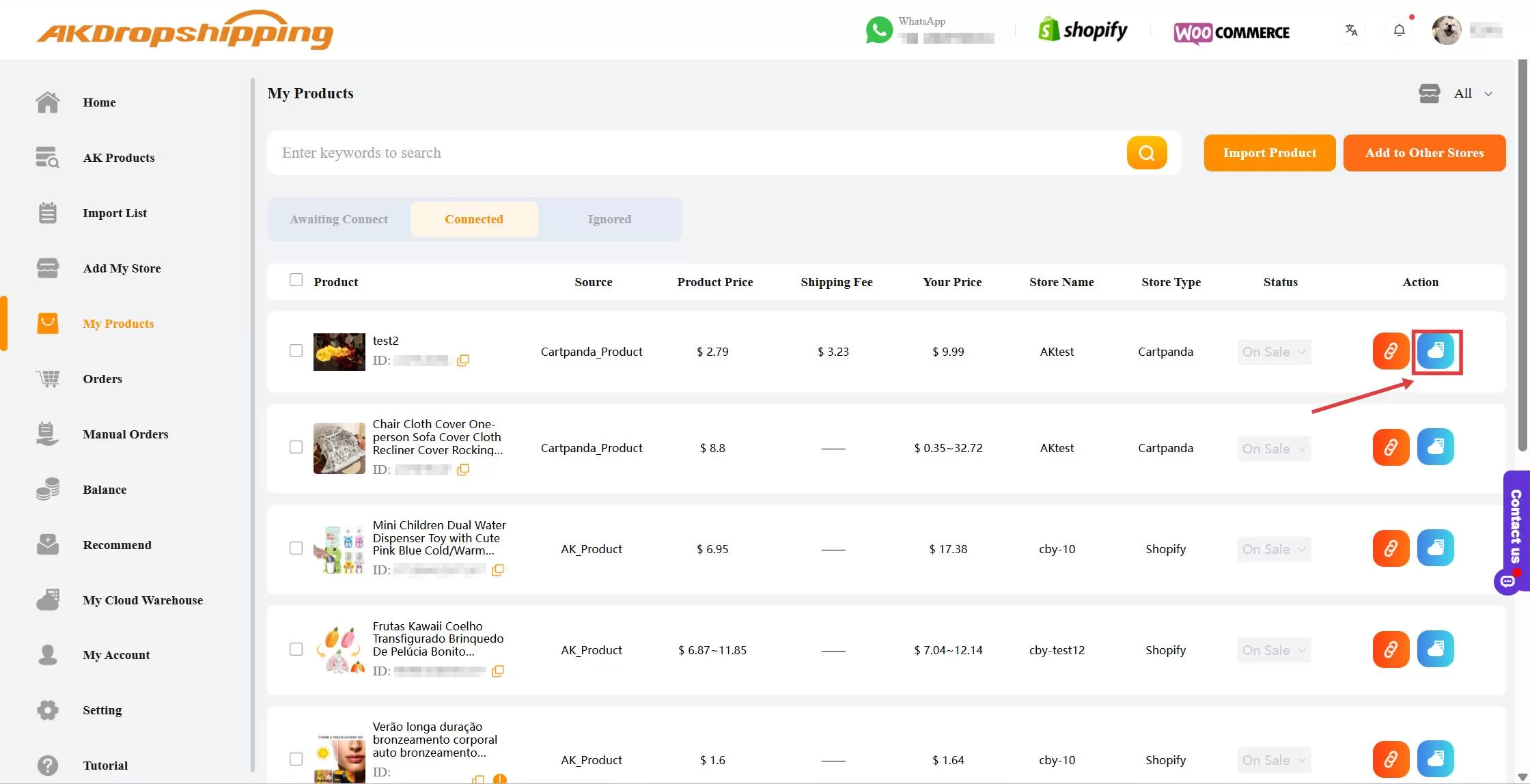
My Products - Connected
Step2: Choose SKU & Quantity
In the pop-up window, select the SKU(s) you’d like to store and enter the quantity. Then click the Check Out to complete the payment for your inventory.
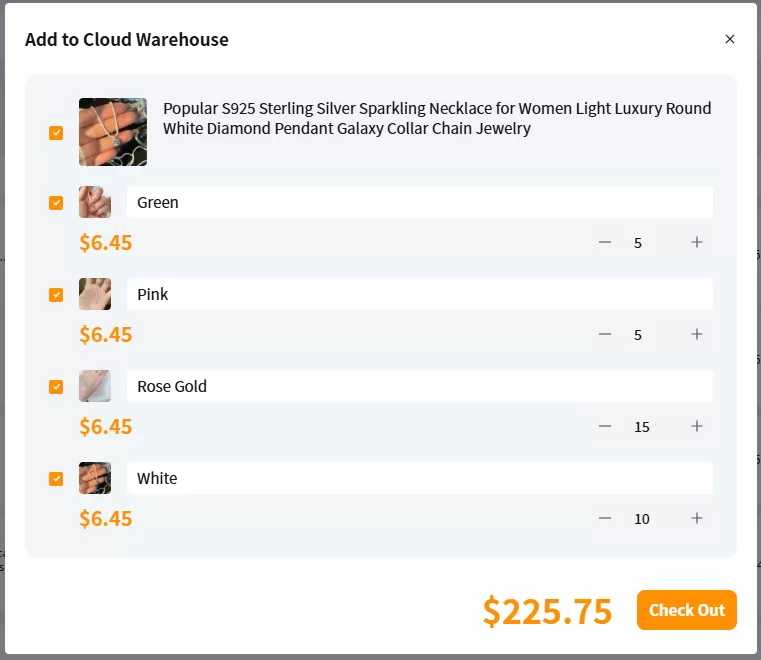
Add to Cloud Warehouse - Quantity & SKU
Step3: We Stock the Products
Once your inventory order is confirmed, we’ll purchase the items from our partnered suppliers and store them in our warehouse for you.
Step4: Faster Fulfillment
Once the order is under Awaiting Payment status, you just need to pay the shipping fee and tax fee (if needed).
The order will be processed and shipped immediately—no waiting for sourcing and purchasing.
Inventory levels will be automatically updated and can be viewed on the My Cloud Warehouse page.
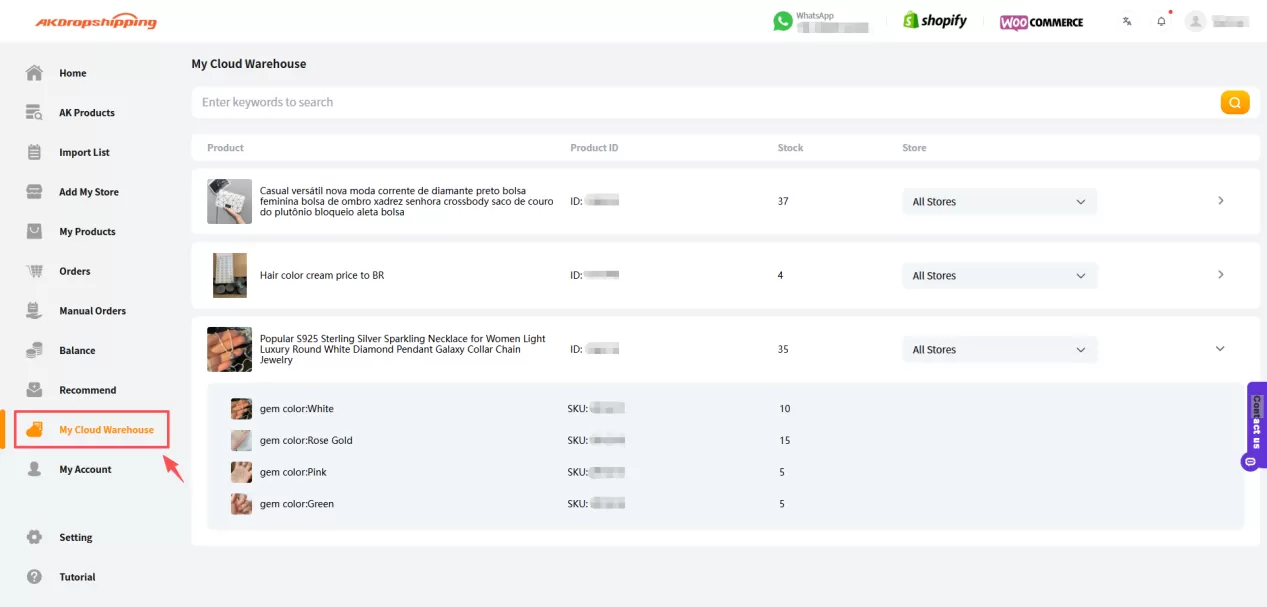
My Cloud Warehouse
Need more help? Reach out to us via Live Chat for quick assistance.

