
With AK Dropshipping, you can update product variants (like size, color) or reconnect a different product entirely before fulfilling the order. This is helpful if:
You map the wrong product
Your customer want to change the variant after placing an order
Below are two common scenarios and how to handle them:
Situation 1: Map the Wrong Product
If you've connected the wrong product and need to replace it with a different one:
1. Go to Orders - Awaiting Payment
2. Hover over the product in question and click the orange icon that appears
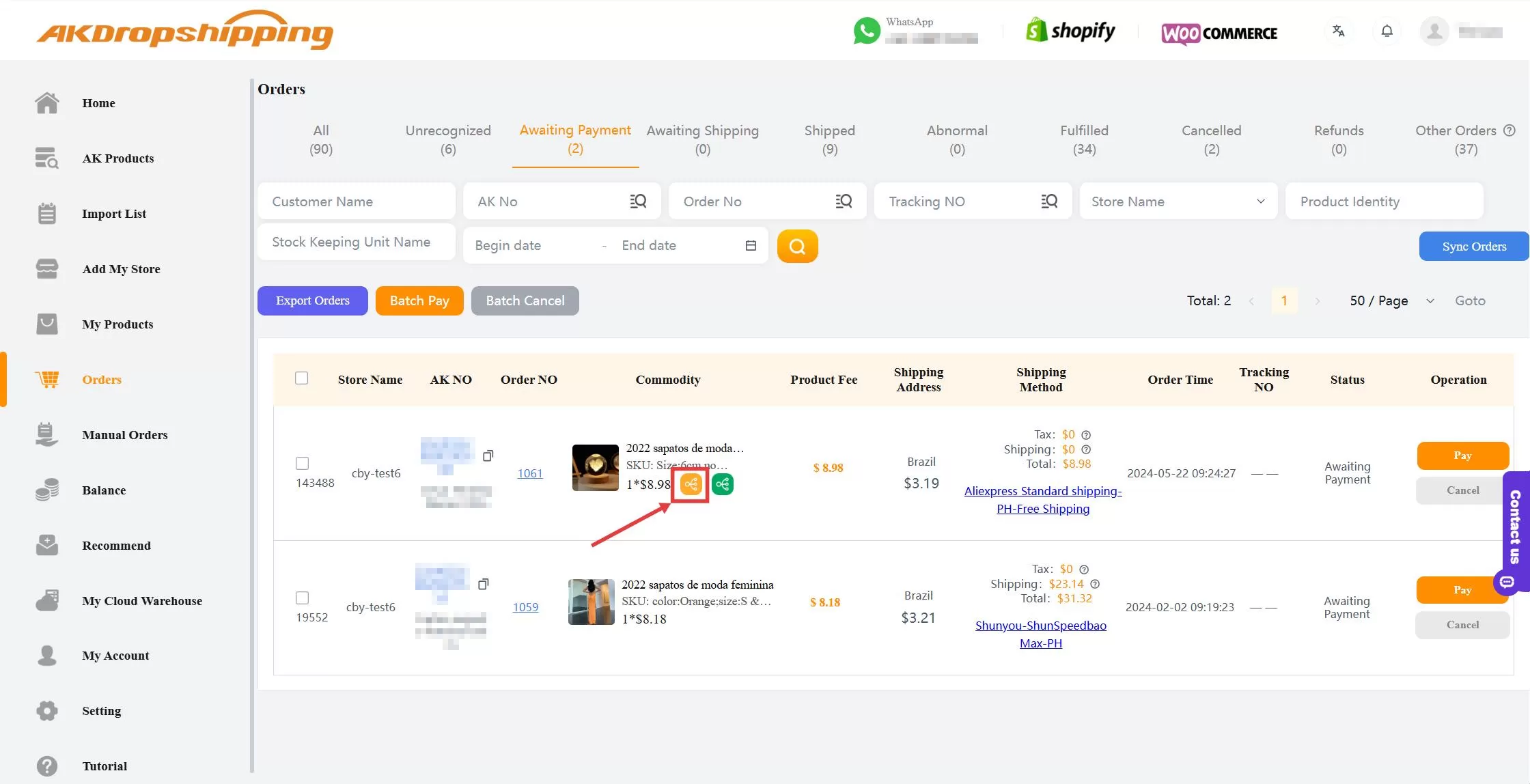
Orders - Awaiting Payment
3. A Reconnect panel will appear on the right side
4. Paste the correct product link and confirm the remapping
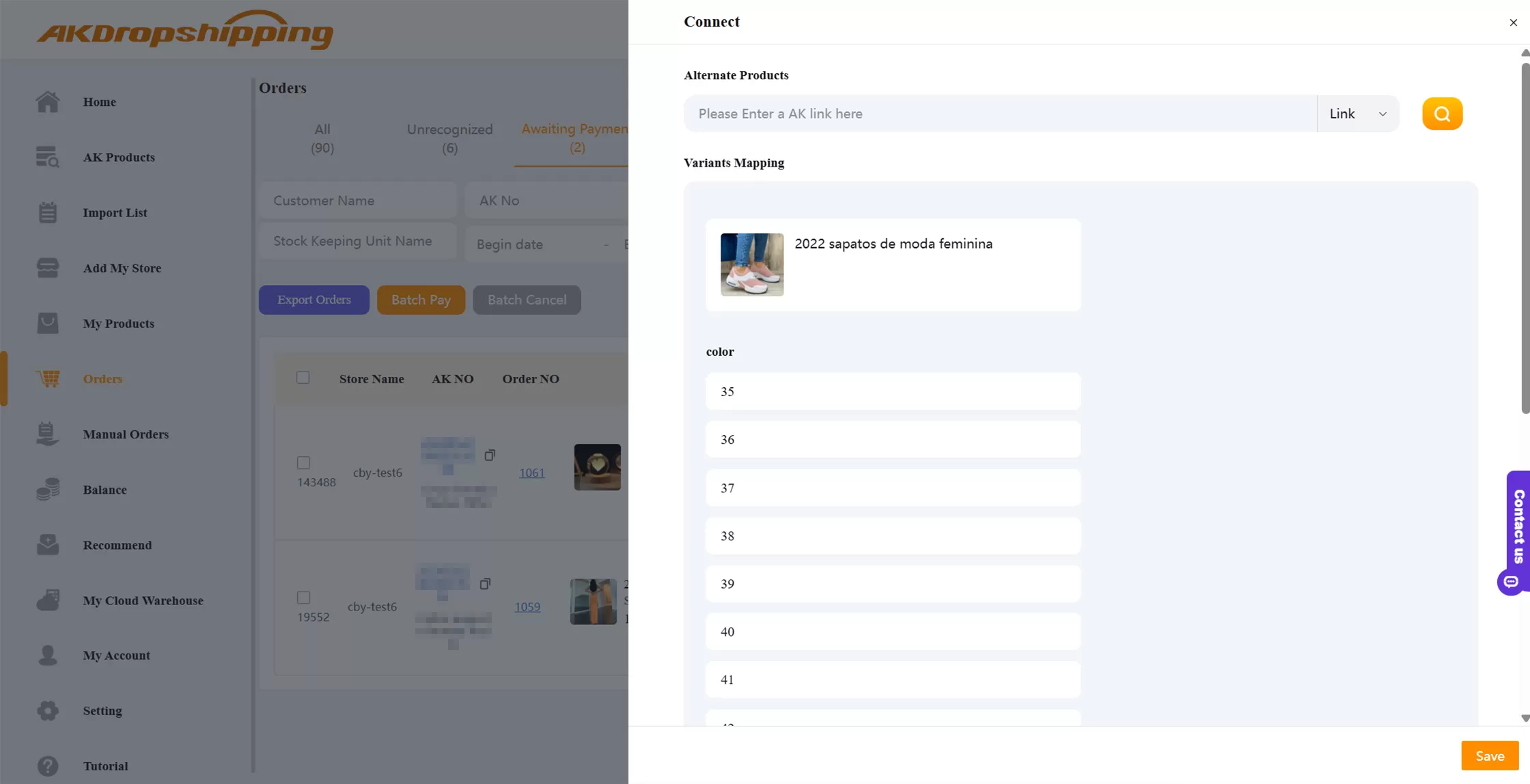
Reconnect Panel
✅ The order will now be updated with the correct product.
Situation 2: Change the Product Variants (Wrong SKU)
If a customer wants to switch from one variant (e.g., a pink dress) to another (e.g., black):
1. Go to Orders - Awaiting Payment
2. Click the green icon next to the product
3. Enter the product link again
4. Select the new variant (size, color, etc.)
5. Click Confirm to update the order
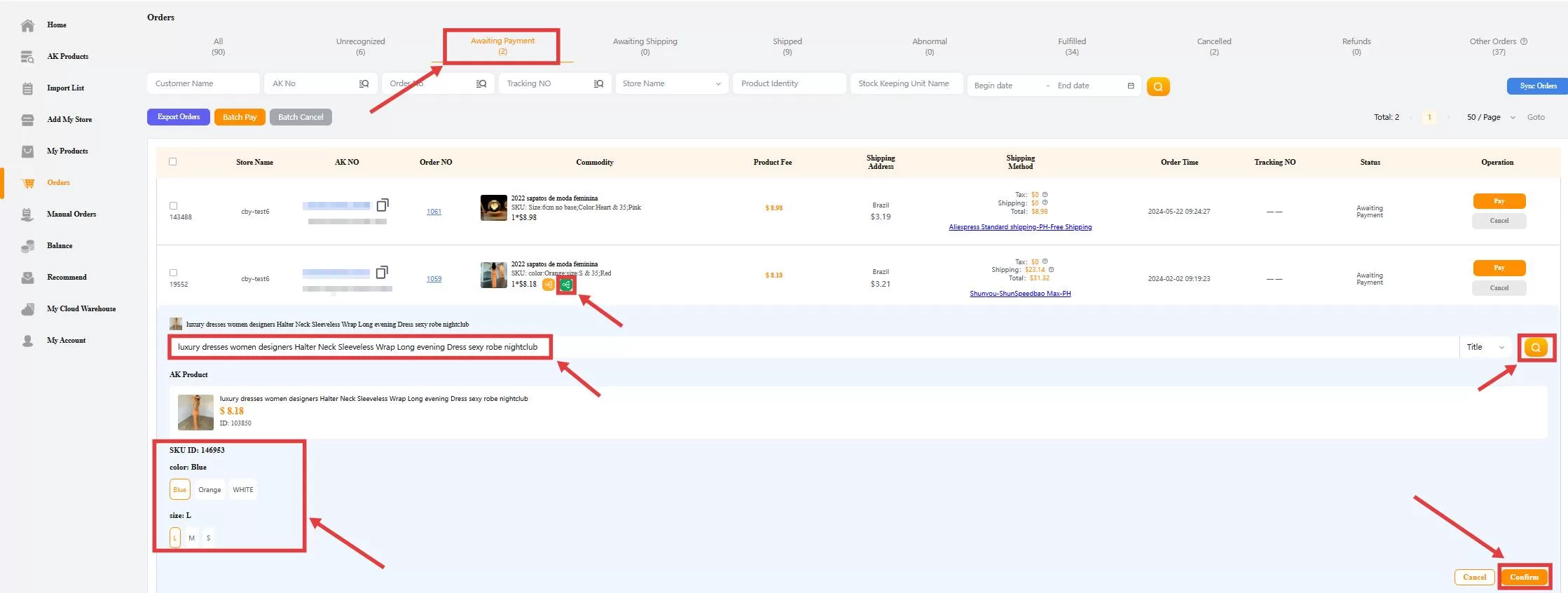
Orders Awaiting Payment - Green Icon
✅ The product will be updated to the correct variant, and the order will be ready for payment.
Note: Once the order has been paid, it will enter processing with our Purchasing and Logistics Team, and variant changes are no longer allowed through the dashboard. If you still need to make changes, please contact our support team immediately to see if manual adjustments are possible.
Need more help? Reach out to us via Live Chat for quick assistance.

