
Follow these steps to add funds to your AK Wallet.
Step 1: Go to Balance section
Log in to your AK account and go to Balance section.
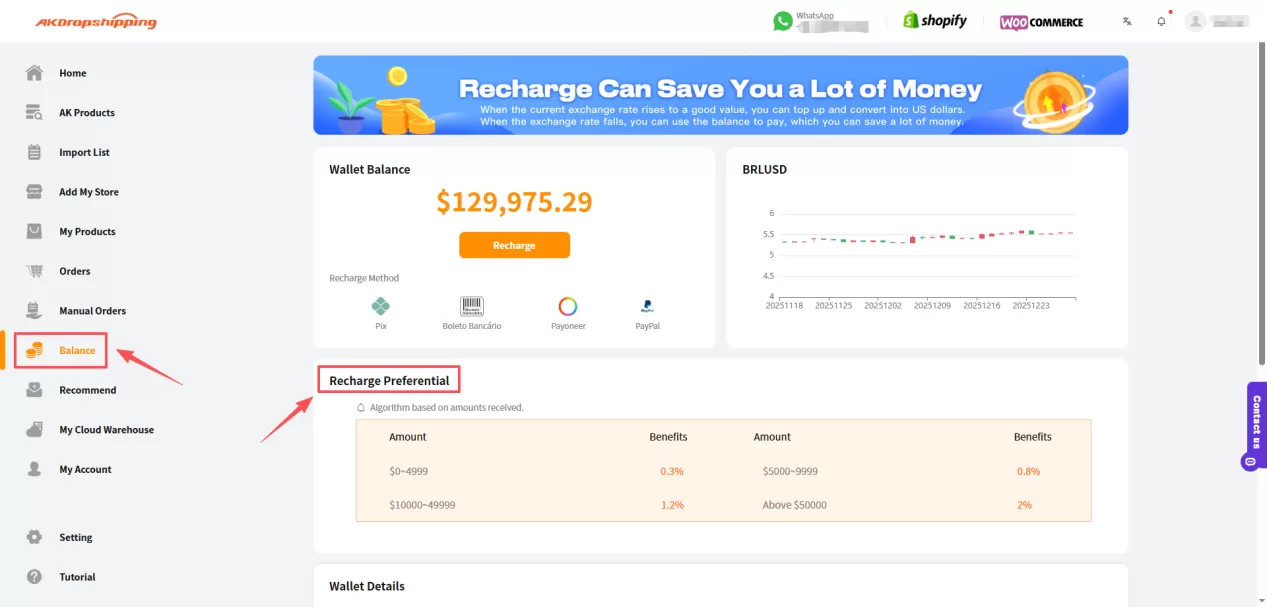
AK Dashboard - Balance
Tips: Here is the cashback when recharging AK wallet
Amount | $0-4999 | $5000-9999 | $10000-49999 | Above $50000 |
Benefits | 0.3% | 0.8% | 1.2% | 2% |
Recharge Preferential
Step 2: Recharge
Click the Recharge button. You’ll be prompted to:
Choose or enter the amount you'd like to top up
Select your preferred payment method
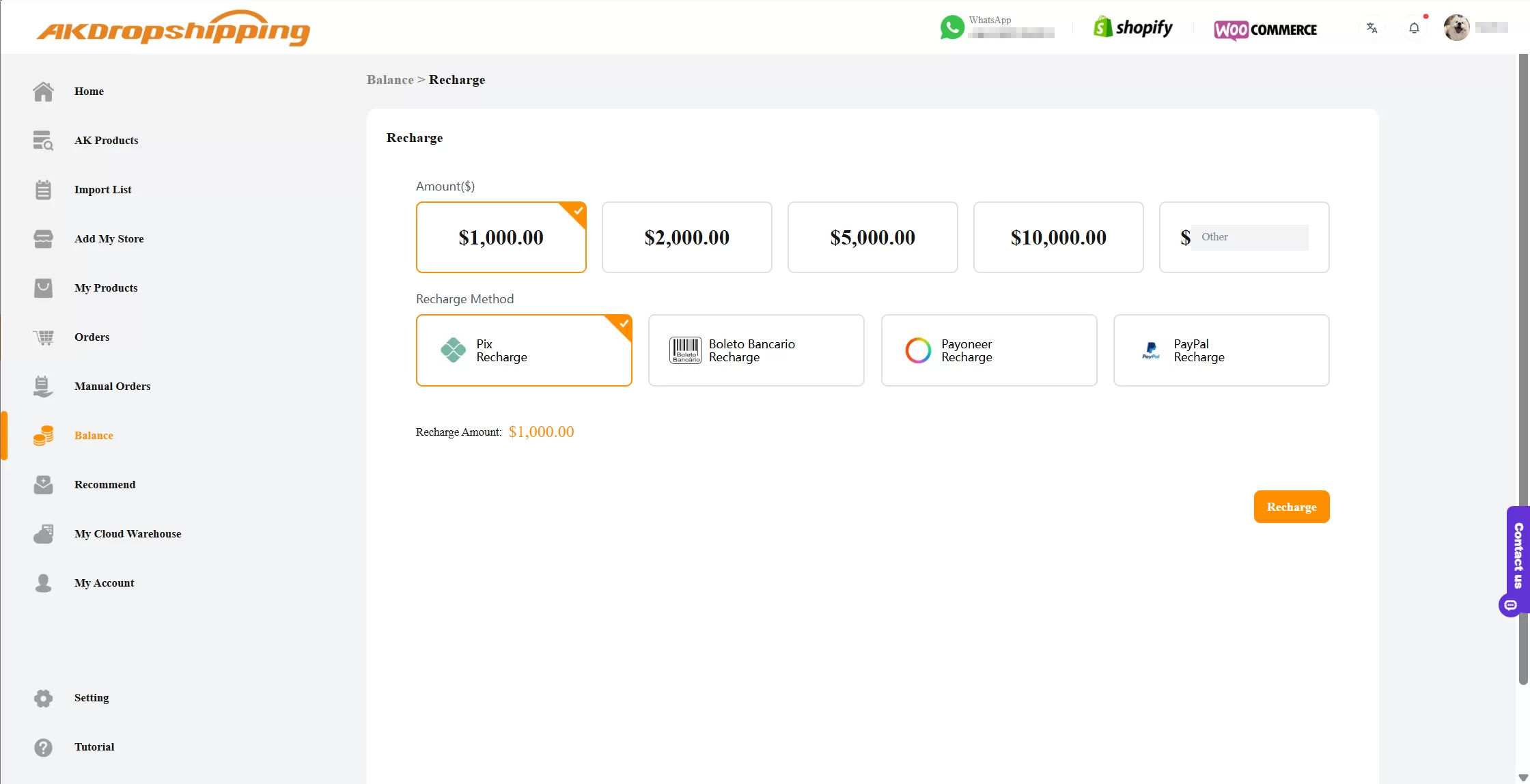
Balance - Recharge
Available payment methods:
Pix
Boleto Bancário
Payoneer
PayPal
Step 3: Make Payment via Pix and Boleto
If you choose Pix or Boleto (recommended for Brazilian dropshippers), you’ll need to provide the following information:
Company name/Personal name
Email address
Telephone number
CPF (Cadastro de Pessoas Físicas)
You can enter this information during the payment process, or pre-fill it on the Settings page for faster recharges in the future.
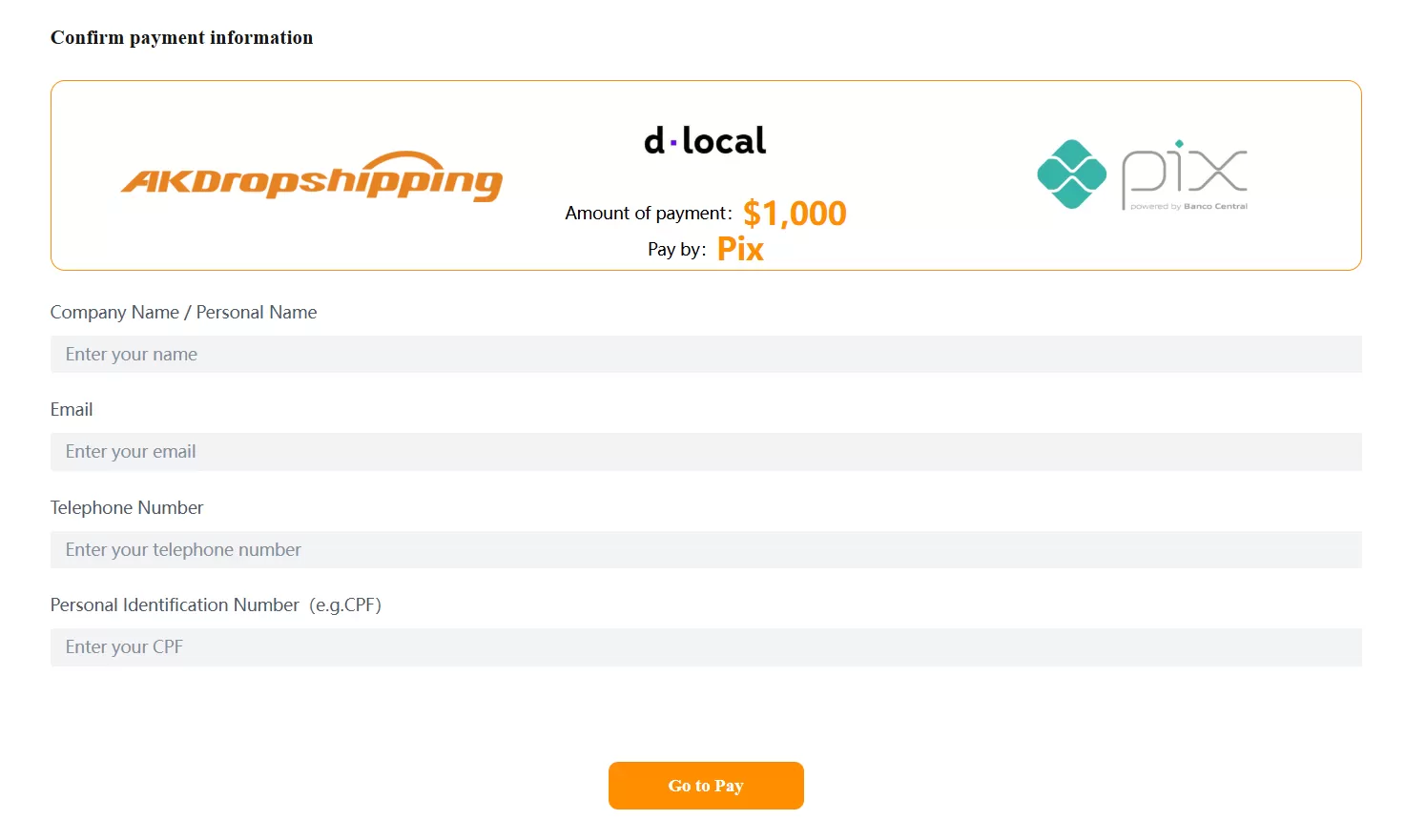
Confirm Payment Information

