
Once you've placed your orders, you can easily pay for them all at once using the batch payment feature.
Step 1: Log in and Go to Orders Page
Log in to your AK account and navigate to Orders - Awaiting Payment.
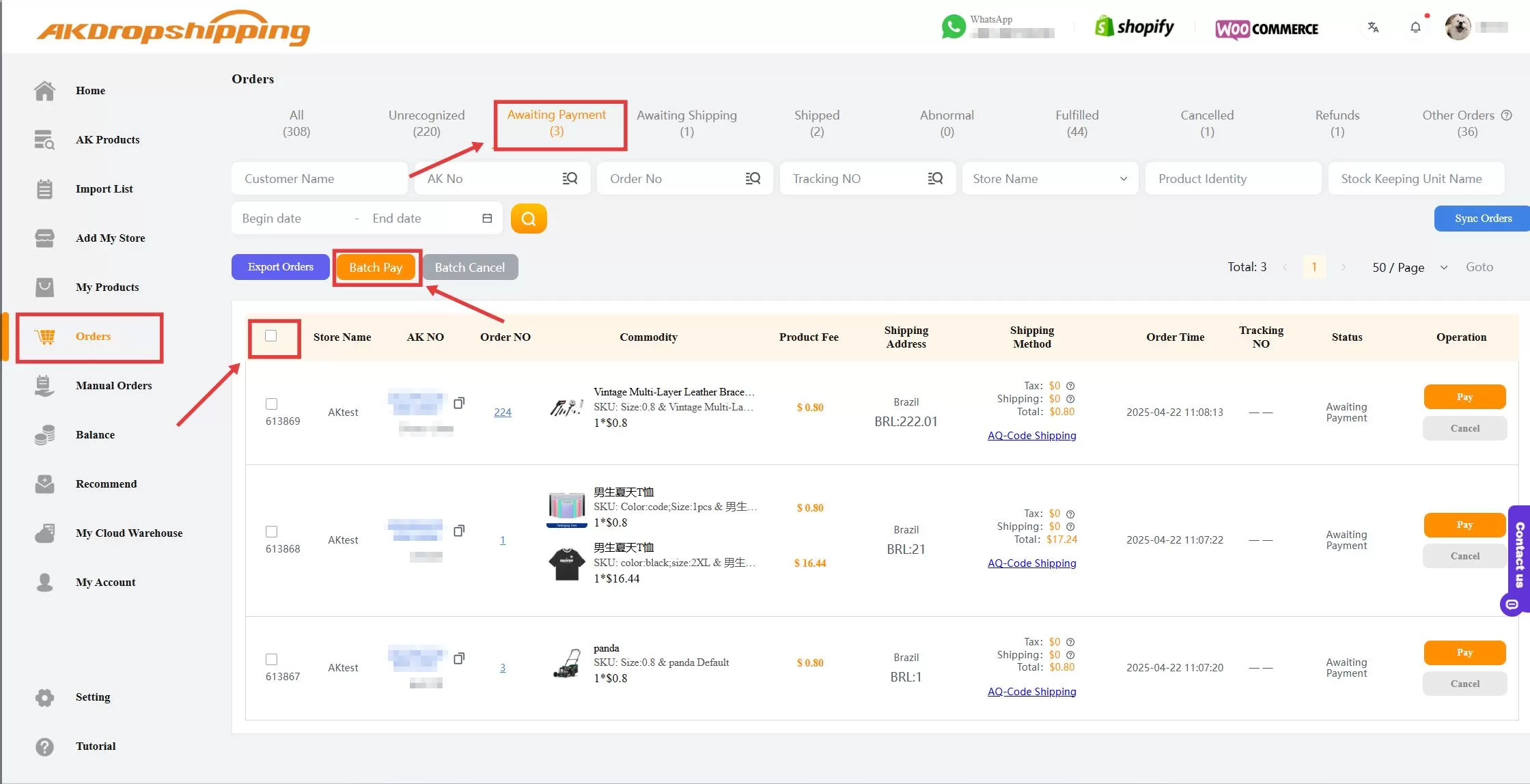
Orders - Awaiting Payment
Step 2: Select Orders for Batch Payment
On the Awaiting Payment page, you'll see a list of all unpaid orders. Check the boxes next to the orders you want to pay for, or click Select All icon to choose all of them at once.
Step 3: Proceed to Payment
After selecting your orders, click the Batch Pay button to make a batch payment.
You’ll be directed to the payment panel to complete the transaction for all selected orders in one go.
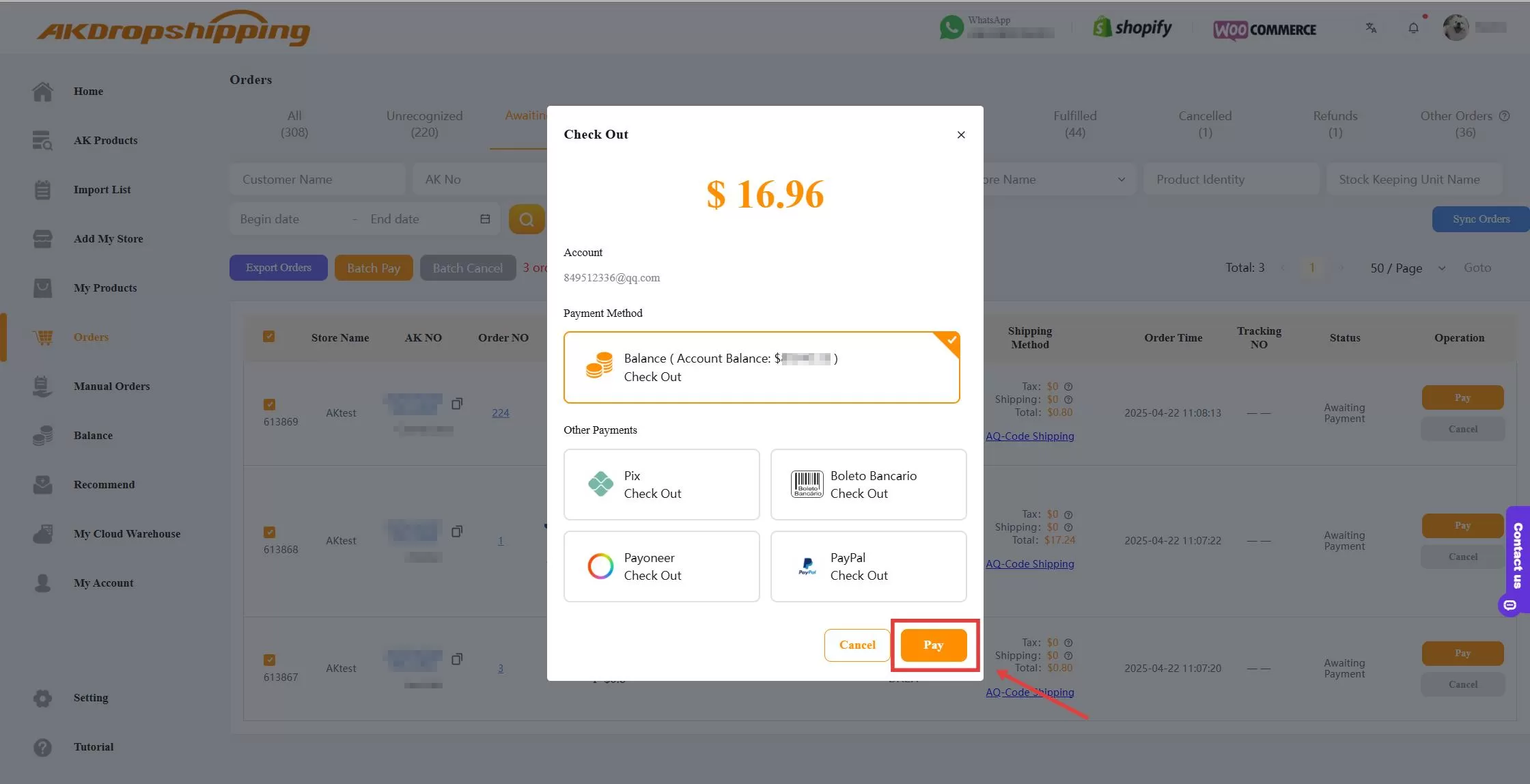
Check Out Panel

