


Shopify is one of the leading e-commerce platforms that allows users to easily build, customize, and manage online stores.
Follow this guide to connect your Shopify store with AK Dropshipping in just a few clicks.
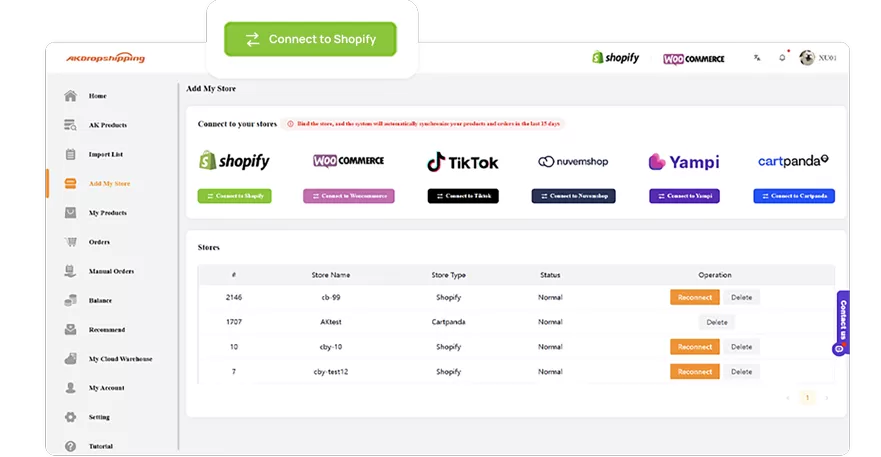
Log in to your AK account
Navigate to the Add My Store section
Click the Connect to Shopify button
You’ll be redirected to the Shopify App Store.
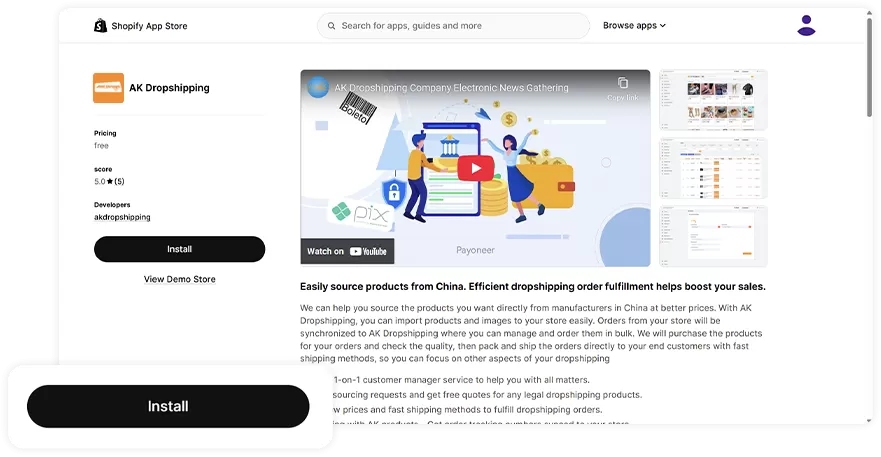
In the Shopify App Store, click Install to add the AK Dropshipping app to your Shopify store
Follow the prompts to approve and complete the installation
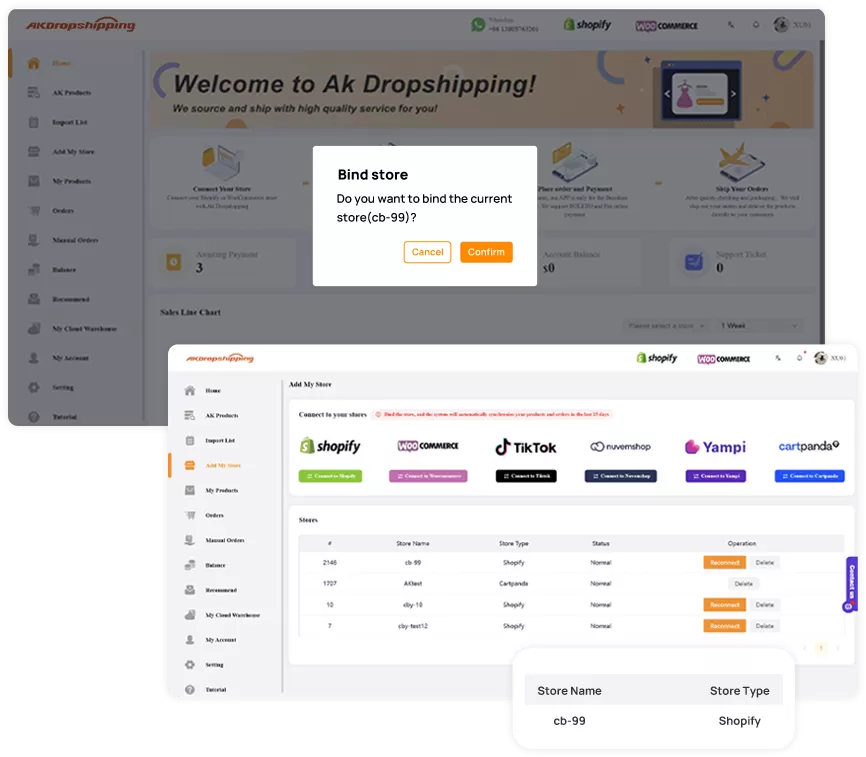
Once the app is installed, you'll be redirected back to your AK Dropshipping dashboard.
Click Confirm to finalize the connection.
You'll see your store listed in the Stores section.
Success!
Your Shopify store is now linked with AK Dropshipping. You’re all set to start importing products, managing orders, and automating your dropshipping business with ease.
Need help? Our support team is just a click away.

WooCommerce offers powerful open-source tools to help dropshippers create and scale successful online stores.

Latin America's all-in-one platform for building and managing online stores easily.

User-friendly Brazilian eCommerce platform offering free plans and seamless integrations for retailers.

Simple, customizable eCommerce solution to quickly launch and manage your online store.

A leading eCommerce platform for creating customizable, scalable online stores with powerful tools.
